Visit the Makerspace!

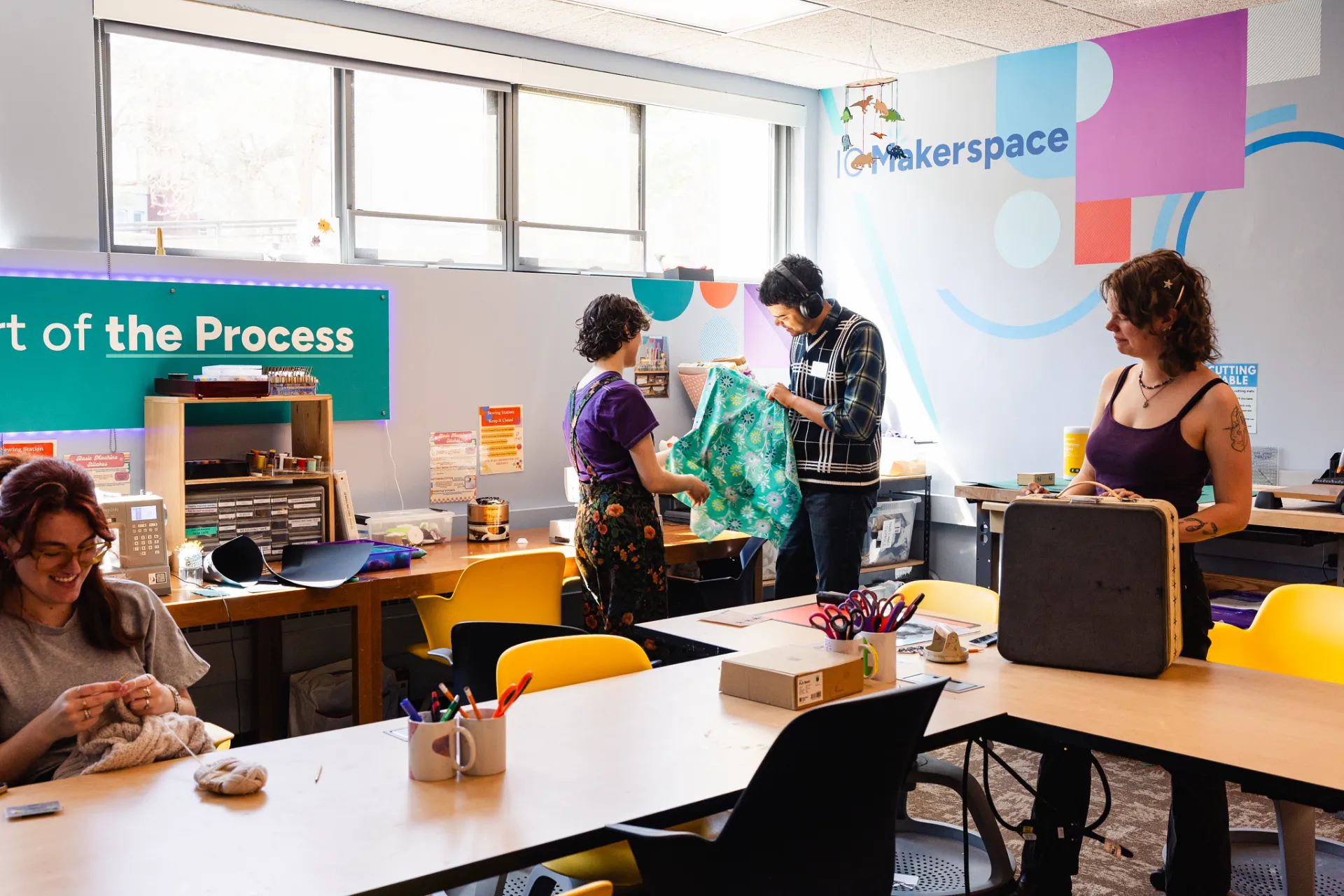
The IC Makerspace is a collaborative work space used for making, learning, exploring and sharing while utilizing a range of high tech to no tech tools.
Makerspace

The Makerspace provides a range of materials and machinery in a space that is staffed with student design and instructional support.

Empowering Personal Creativity
Makerspace facilities provide hands on learning, help with critical thinking skills and even boost self-confidence.  By taking an innovative approach to engaging students, developing cross-disciplinary skills and connecting a community of innovative thinkers, the IC Makerspace helps prepare students for success.  

The space is equipped with 3D printers, a laser cutter, sewing machines, Cricuts and various hand crafting tools, which can be leveraged for projects related to a variety of disciplines including art, computer science, graphic design, animation, game design, robotics, and more. 

Get Involved with the Makerspace

The Makerspace is open to students, staff and faculty. There is no experience necessary, just an open mind and a willingness to learn! Walk in at any time during our open hours and our staff can get you started with using new technology. 

Location
Friends Hall 101 and 102

Spring 2026 Hours
Monday-Friday 11am-7pm
Saturdays 12-4pm

No appointments required! Questions? email makerspace@ithaca.edu

Spring 2026 Specialty Hours
Knitting/Crochet Circle: Tuesdays and Wednesdays 12-1pm
Mending Assistance (Fabric Arts): Tuesdays 5-7

Stay up to date with the Makerspace

For day to day updates, announcements and events, follow us on Instagram.

For community and questions, join our Discord.

For upcoming events and workshops, check us out on IC Engage.

For questions and inquiries, email us at makerspace@ithaca.edu

Makerspace Technology

These are some of the many creative things you can do in the IC Makerspace

The 3D Printers just might be your ultimate tool for boundless creativity in our cutting-edge Makerspace. Bring their wildest ideas to life with precision and ease by effortlessly translating your imagination into tangible reality.  Whether you're a hobbyist, a student working on an assignment or faculty,  the 3D printers will revolutionize your creative journey!

Bambu Lab X1 Carbon Printers

The Makerspace maintains two Bambu Lab X1 Carbon Printers and one A1 mini. We use PLA 1.75 mm filament to print a variety of personal and academic projects. We offer 200 grams of Makerspace filament use per semester, or clients can bring their own filament. We have many colors of PLA, a few PETG options, and black TPU. We currently only do single-color printing to reduce waste and print time.

How to get a 3D print started:

  1. Email Makerspace@ithaca.edu and attach a link to a file you found online, or attach the .STL to the email.
  2. Include details about the size, color preference, any slicing settings, and a date you need it done by. If it is an academic project, please include the course and the name of the professor.
  3. We will add your request to our queue and track your filament usage internally.
  4. We email you when the project is done, and you can pick it up during our open hours.
  5. Typically our turnaround is 2 days, but wait times can be longer. Academic projects get priority in the queue.


Alternatively, visit the Makerspace in person to get a print started, and check out our different color filament options! We can show you websites to find good 3D models, teach you basic 3D modeling in Tinkercad, and tell you most anything you'd like to know about 3D printing. While we take care of the file management and slicing on the back end, we're happy to give you a demo. 

The Makerspace is equipped with a Dremel LC40 laser cutter. The machine works by uploading a compatible digital file that can be etched into your material with the laser. Laser cutting can be a great tool for classroom projects or other use around campus, such as creating signage.

The laser can cut through up to 1/8 inch plywood, acrylic sheets, paper, and cardboard. It can engrave on the same materials, and additionally engrave on cork, keychain blanks and anodized aluminum.

The Cricut Maker handles fabrics, leather, paper, and balsa wood with effortless precision. Cricut Maker quickly and accurately cuts 300+ materials, from the most delicate paper and fabric to the tough stuff like matboard, leather, and basswood.  Explore potential project ideas with the Cricut Blog.

Design your own or digitize an existing design and translate it onto a tshirt, hat, mug, sweatshirt, or more! 

Cricut Tools Available:

  • 3 Cricut Makers
    • Foil transfer kit
    • Deep point blade
    • Fine point blade
    • Knife blade
    • Rotary blade
    • Calligraphy, Fine point, and Gel pens
  • 1 Hat Press
  • 2 Mug Press
  • 1 Heat Press
  • 1 Heat Press Mini
  • 1 Inkjet printer for printing stickers and iron-on image transfers. 

Ever wanted to carve your own wooden spoon? How about make some fashionable wooden earrings? The Makerspace is equipped with a handheld Dremel Rotary tool, light woodworking tools, and a solid maple top work bench ready for your light woodworking projects.

Learn how to hand stamp a bracelet or necklace or wrap your favorite trinket into a ring to wear. Other supplies include: earring hooks, ring sizing tools, keychain rings.

Two Singer Heavy Duty Sewing machines are available for a range of simple to complex sewing projects. Other materials available include knitting, crochet, and embroidery supplies.

The Brother SE1900 embroidery machine offers an intelligent but simple to use single-needle computerized embroidery machine experience complete with an auto-threader, bobbin thread runout detection, and built in fonts for quick designs on the machine's touchscreen interface. Work with Makerspace staff to digitize any graphic you want to embroider and learn the process of computerized embroidery.

Student Org/Club use

We love hosting club meetings in the Makerspace! If you are interested in hosting your club meeting in the Makerspace on a regular or one-time basis, arrange this with us by emailing makerspace@ithaca.edu two weeks ahead of time so that we can ensure staffing and reserve the space for you.

Past Club use examples 
HI Fashion Studios - used the sewing machines and materials to create pieces for their showcase
Disabled Students Alliance - hosted a crafting night

Faculty/Course Use

Want to incorporate the Makerspace into your course?

Whether it's a short tour to introduce your first-year seminar to the space, a project that requires some Makerspace technology or materials, or a semester-long prototyping project, we want to find creative ways to engage students. 

Contact Lab Coordinator Ash Bailot or fill out this form to get started with planning. 

Spring 2026 Workshops and Events at the Makerspace

Most Workshops require advance registration on Engage! Keep up with @icmakerspace on Instagram for updates

Jan
Intro to Crochet - Thurs Jan 22, 12-1
Learn to Sew: Make a bag - Tues Jan 27, 5-7

Feb
Valentine’s Day Card-Making - Friday, Feb 6, 5-7
Intermediate Crochet: Granny Squares - Monday, Feb 2, 5-7
Valentine’s Day Print Party! - Friday Feb 13, 11am-7pm
Make a Puppet Workshop – Tuesday Feb 17th, 4:30-6:30
Intro to 3D modeling - Monday, Feb 23, 5-7

March
Learn To Sew: Make a Pillow – Thursday, March 5, 4:30-6:30.
Paper Mache part 1 – Wednesday, March 11, 1:30-3:30
Paper Mache Part 2 – Wednesday, March 25, 1:30-3:30

April
Jewelry Making/Soldering – Thursday, April 2, 5:30-7
Makerspace hiring sessions – TBD
Patch Making – Wednesday, April 8, 1:30-3:30
Make a Wall Decoration – Friday, April 17, 1-3
Sustainability Week event - TBD
Cyanotypes – Tuesday, April 28, 11am-1pm

May
Grad Cap Decorating - TBD