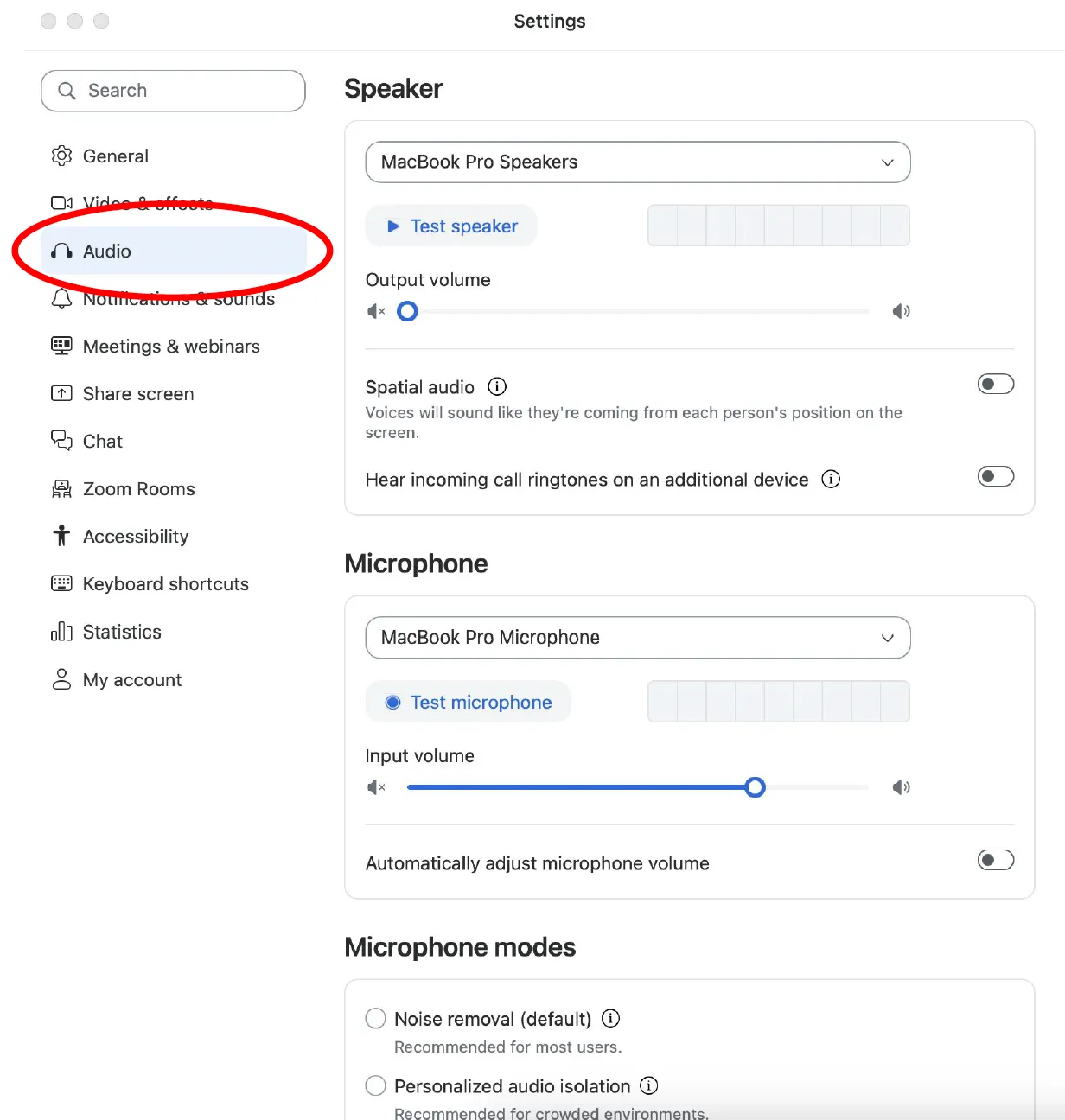
- Open the Zoom Settings.
- Click on the Audio tab.
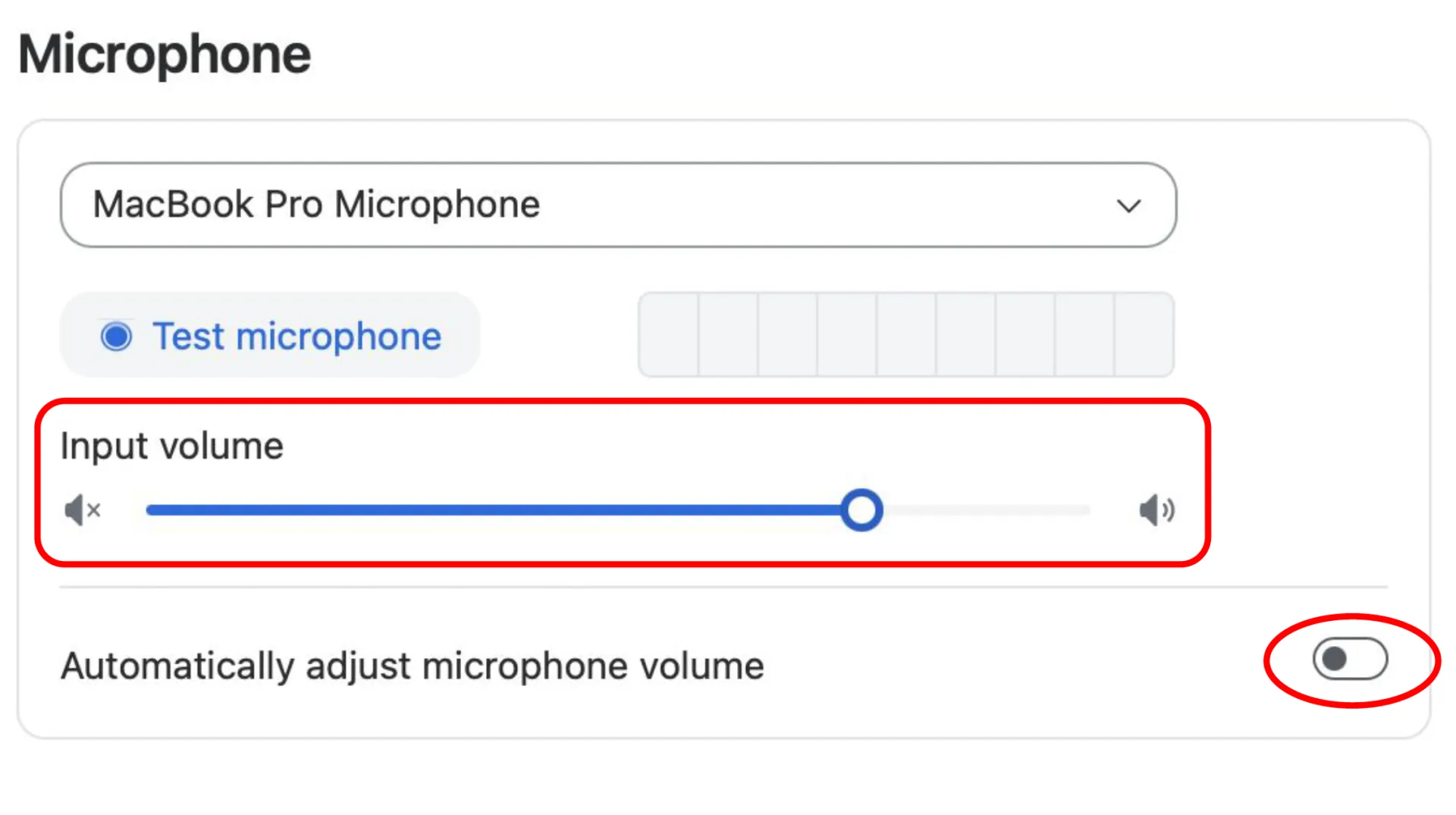
- Ensure you have the desired input and outport sources selected in the Microphone dropdown menu.
- Ensure that the Automatically adjust microphone volume toggle is toggled off. Move the volume slider to around 75%.
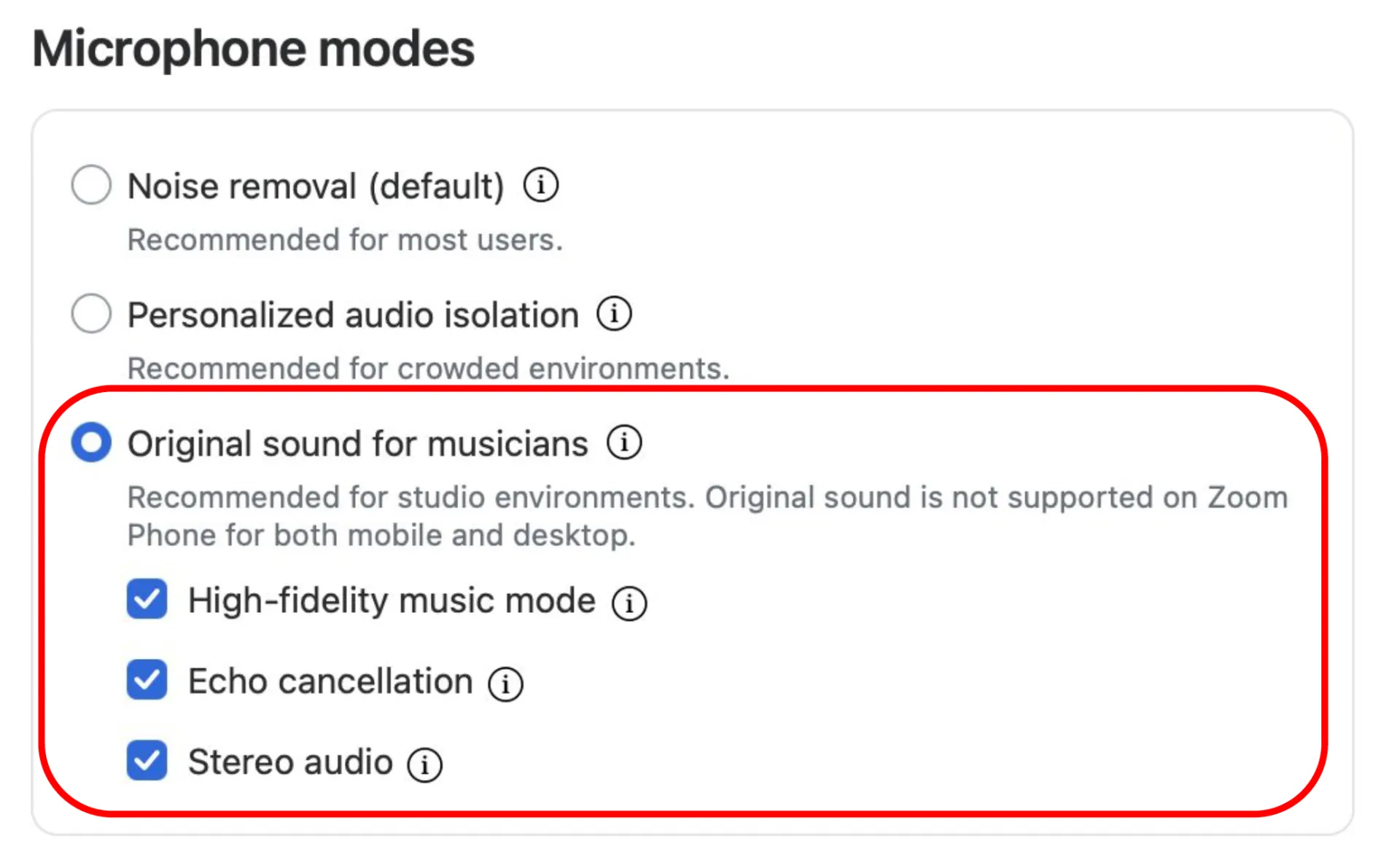
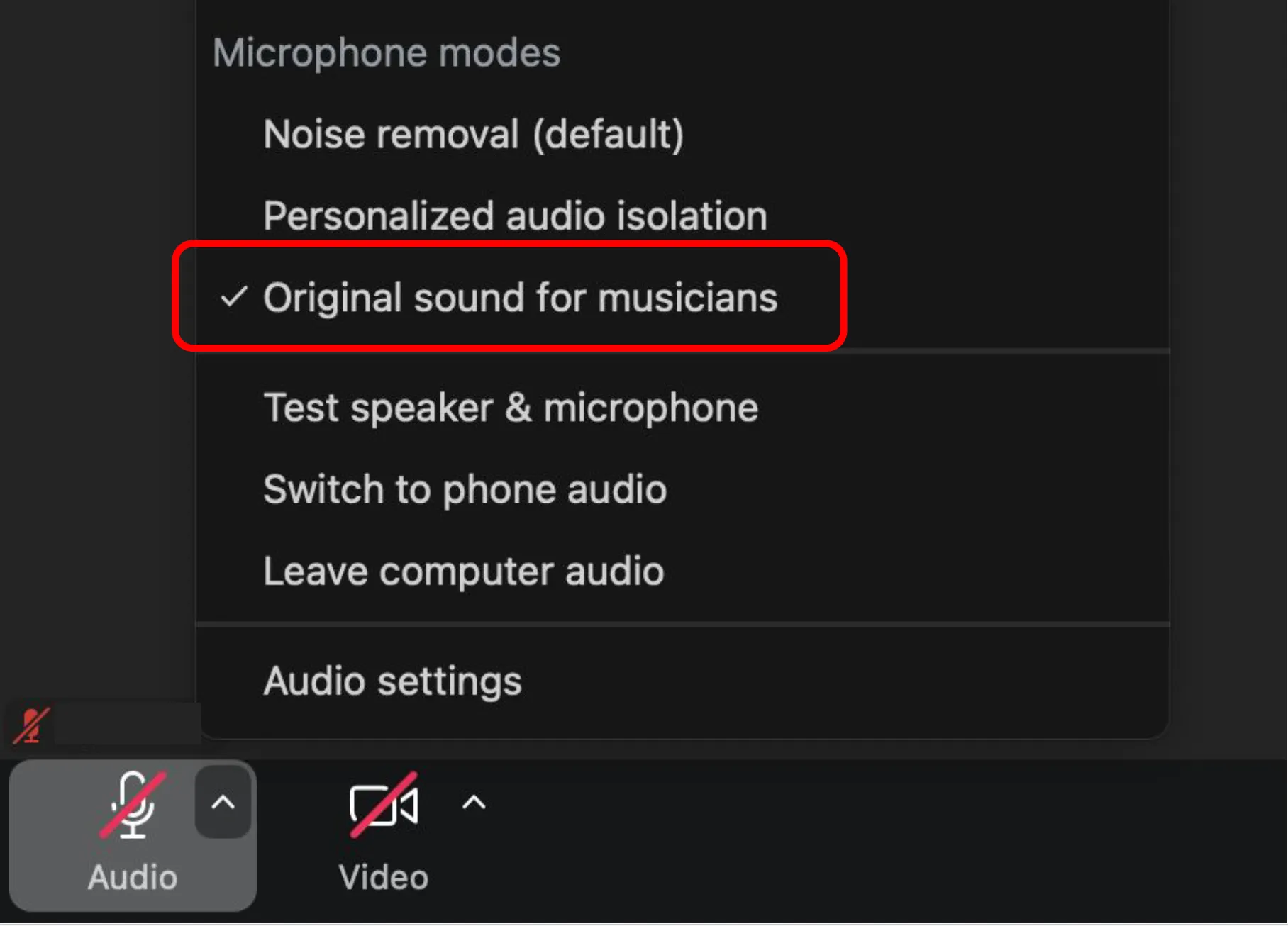
- Under the Microphone Modes header, select Original sound for musicians .
- Check the boxes next to High Fidelity Mode, Echo Cancellation, and Stereo Audio.
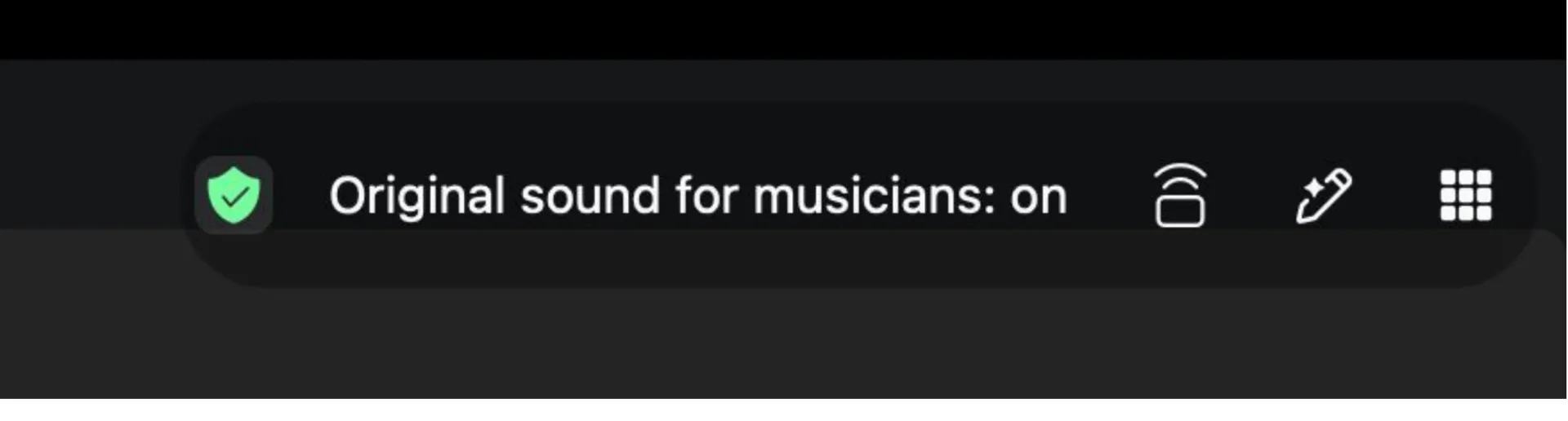
- When you exit out of Audio Settings, make sure you see “Original Sound for Musicians: On.” This may appear as a banner on the top left-hand side of your screen, or you may see it selected when you click the ^ next to your microphone/mute button.
Musical Theatre applicants auditioning through Zoom should follow these instructions.