- If you have changed your major, your schedule will be adjusted automatically, as appropriate. (Please be patient as this may take a few days.)
- You will be able to make changes to your non-major courses starting August 21, after orientation begins. During orientation, advising experts will also be available to discuss changes you need to make.
- We strongly recommend that if you want to make any changes to your schedule, you consult first with the Academic Support Center at academicsupport@ithaca.edu or your faculty advisor. (Your faculty advisor will be assigned just before orientation.) If you are curious about your Ithaca Seminar placement, it's best to reach out directly to icsm@ithaca.edu.
You are invited to view your class schedule for the fall semester!
Your schedule reflects our best course recommendations based on the requirements of your school and major as well as the interests you shared on your Academic Interests Survey. It is designed to set you up to succeed during your first semester!
Please Note:
How to View Your Schedule
To view your personalized fall class schedule, log in to HomerConnect (use your Ithaca College credentials).
On the student Profile Page left-hand navigation:
- Select Term: Fall 2026
- Click Registration and Planning
On the Registration Notices Page:
- Click View Registration Information
- Click Schedule or Schedule Details for different views of your schedule
To learn more about how to view your schedule and add and drop classes, view the Office of the Registrar’s video tutorials.
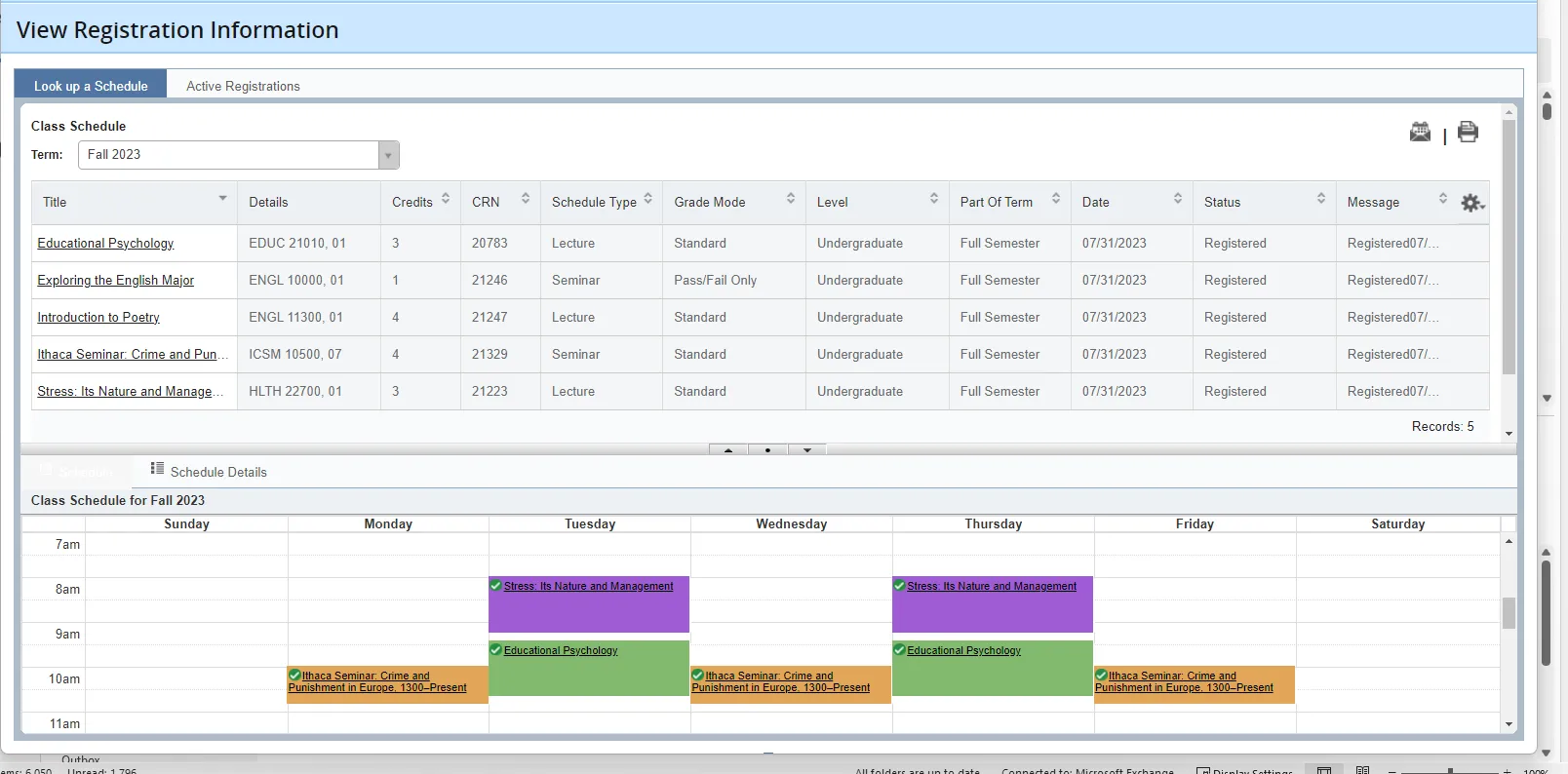
View of HomerConnect screen
View of HomerConnect screen
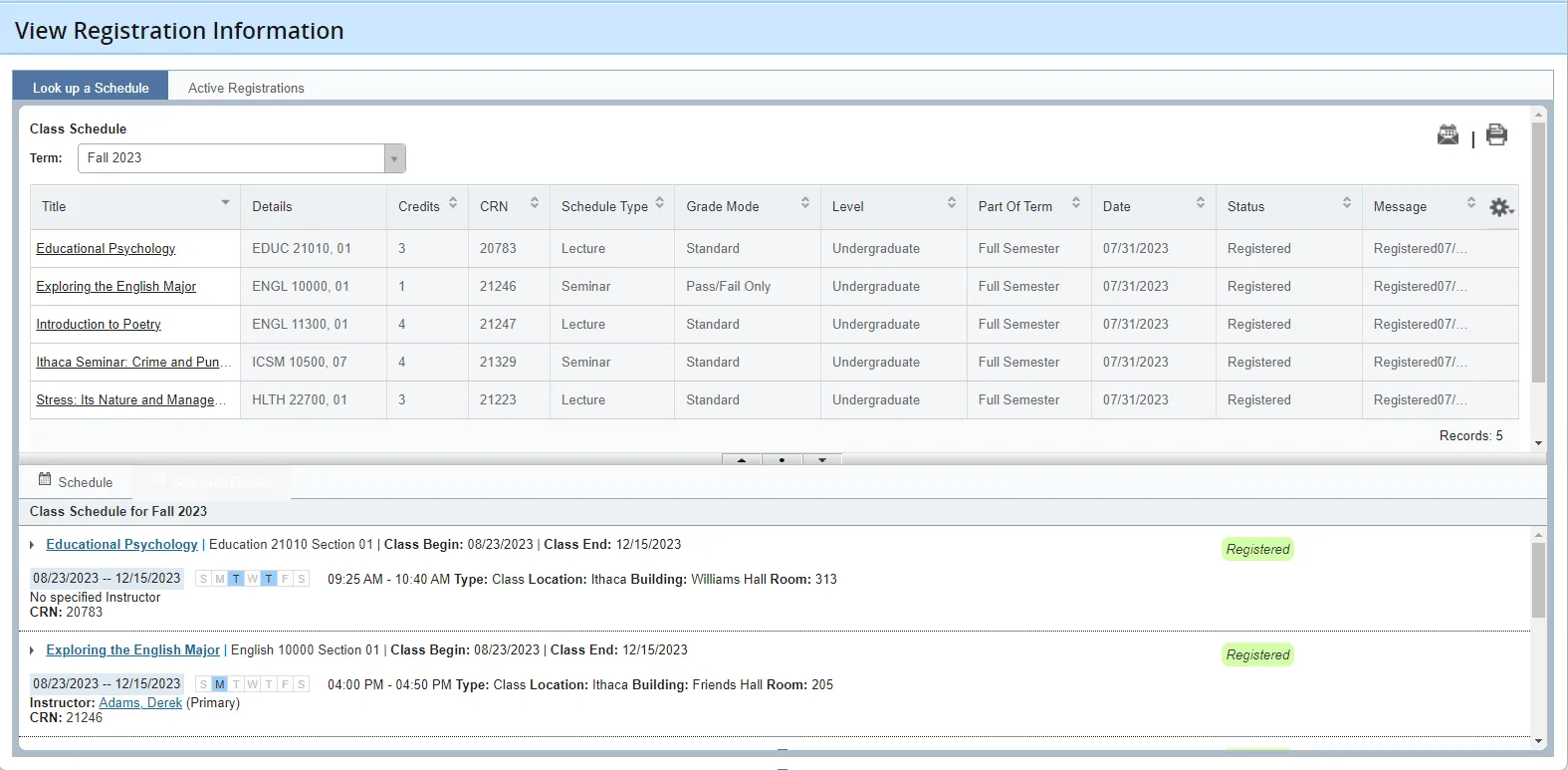
Sample schedule view in HomerConnect
Sample schedule view in HomerConnect
Have Questions?
If you have questions about your class schedule, please start by reviewing our New Student Academic Advising FAQs for general information. You may also contact the Academic Support Center at academicsupport@ithaca.edu or the Ithaca Seminar program at icsm@ithaca.edu.