Scaling

The IC athletics logos should always be used at a scale that protects the integrity of the marks and ensures clear visibility and reproduction. When possible, always use the logos at larger sizes than the minimum sizes listed below. Only use logos at minimum size when absolutely necessary. For example, logos scaled at minimum size would be appropriate for use on pens, lapel pins or other small items.

Primary LogoSecondary LogoEmblemMonogramEmbroidery
1.0" minimum width1.0" minimum width1.0" minimum width0.5" minimum widthSmallest text minimum 
.25" high

Clear Space

Ithaca College Athletics Logo Clear Space Diagram

Clear space, or the space surrounding a logo, is essential to ensure that the IC athletics logos are positioned clearly and prominently without interference from competing elements. No element should ever overlap the logos, and the logos should always be displayed in full. The clear space requirements for IC athletics logos are shown below, where “X” is the required clear space.

Color Variations & Backgrounds

Keep these guidelines in mind when using the athletics logos with colors or over images:

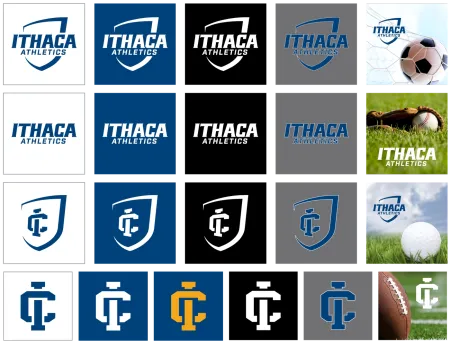
  • In all cases, the athletics logos must stand out clearly.
  • Use the IC blue version when a simplified mark is required for premium items, silkscreen, etc.
  • Use the black version when the use of color is not an option.
  • When using the logo over a photograph, place it over an area that provides good contrast and has minimal distracting elements.
  • Whenever using gray as a background, a white stroke on the mark is required.
  • Don't place the athletics logos over IC gold.

Dos and Don'ts

Do

Correct usage examples of Ithaca College Athletics Brand Standards
  • Make sure the logo is legible against the background photo and that there are no competing or distracting elements in the photo.
  • If the logo is not legible against the background photo, use it in a blue tab or bar.
  • Use official logo lockups.
  • Show the logo in full.
  • Make sure there is enough clear space around the logo.

Don't

Incorrect usage examples of Ithaca College Athletics Brand Standards
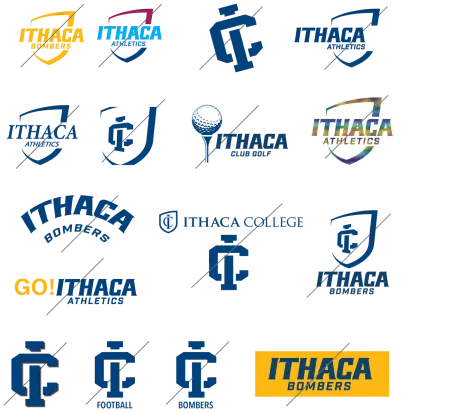
  • Do not combine IC athletics marks with Ithaca College institutional marks.
  • Do not place athletics logos over IC gold.
  • Do not make or edit logo lockups.
  • Do not add text to or delete text from the logo.
  • Do not crop or rearrange elements of the logo.
  • Do not alter logos. To maintain consistency of the Ithaca College brand, the logos should never be re-drawn, re-created, stretched, or re-typeset in other fonts. Always use approved files.
  • Do not condense, stretch, rotate or distort the logo.
  • Do not add effects to the logo.
  • Do not change the color or add gradients to the logo.
  • Do not place the logo in white over IC gold.
  • Do not change the typography.
  • Do not place the logo over backgrounds that make it hard to read.

Asset Downloads & File Formats

Asset Downloads

Ithaca College Athletics Logos, emblem, monogram, and wordmark are available for download here. Varsity sports, club sports, Hall of Fame, and other lockups can be found on the Logo Lockups page.

EPS FILE FORMAT

Vector EPS files can be scaled to larger and smaller sizes without losing integrity or quality. This format is the preferred file format for print projects.

Use EPS format logos for any professionally printed piece (digital or traditional press applications). EPS files are vector, so they can be scaled larger and smaller without losing quality. EPS is the preferred file format for use in print, banners and merchandise such as stickers and mugs.

JPEG FILE FORMAT

Screen-ready RGB JPG files should not be scaled to larger sizes and are not suitable for print projects. This format is designed for web, Microsoft Word and PowerPoint documents.

RGB logo files are provided in JPEG file format in 2.5" sizes and are used for all web, desktop and on-screen applications such as PowerPoint and Word documents. Never use JPEG format logos for high-resolution printing, and never scale them to larger sizes.

PNG FILE FORMAT

Screen-ready RGB PNG files are intended for use when transparent backgrounds are required. This format should not be scaled to larger sizes and is not suitable for print projects.

Use PNG format logos when transparent backgrounds are required, such as for websites and when placing the logo on a background that is not white.

TIFF FILE FORMAT

Use TIFF format logos for higher-quality laser print reproduction (Word and PowerPoint), screen and web applications where a higher quality logo may be needed. They can be scaled down in size but can never be scaled to larger sizes.