Timely stories, dated and attributed.

Blogs provide a space for chronological content with a clear voice. Use them for news updates, student reflections, faculty perspectives, event recaps, or any content that benefits from a timestamp and a byline.

How Blogs Work

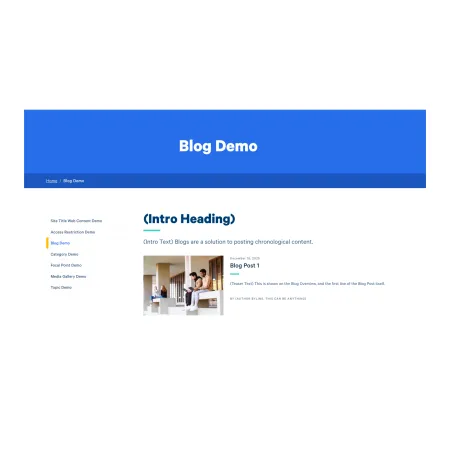
Visual Example of a Blog and Blog Post

A Blog functions as a container that holds individual Blog Posts. The Blog itself acts as a landing page, automatically displaying its posts in reverse chronological order (newest first). Each Blog Post includes a publication date, author byline, teaser text, and featured image. Blogs themselves cannot hold very much content, only an Intro (with Heading and Subheading).

Visually, Blogs are similar to Categories. The key difference is that Blog content is inherently time-based. If your content doesn't have a meaningful "when," a Category or Topic is likely a better fit.

Author Bylines

Every Blog Post requires an author byline, but the format is flexible. The byline might be an individual name, a student with class year, or an office or department. Choose whichever attribution makes sense for the content.

Examples:

  • Jane Smith
  • Marcus Chen '26
  • Office of Student Engagement
  • Department of Physics

Pulling Blogs into Other Pages

You can feature Blog Posts beyond the Blog itself using the Feed: Recent Blogs paragraph. This component automatically pulls in the most recent posts from a specified Blog and displays them as cards. It's useful for surfacing timely content on landing pages, Site homepages, or Topic pages without manual updates.

When to Use a Blog

Blogs work well for content that is:

  • Tied to a specific date or moment in time
  • Part of an ongoing series or narrative
  • Attributed to a person, group, or office
  • Meant to be browsed chronologically

If your content is evergreen reference material or doesn't benefit from a date stamp, consider using a Page, Topic, or Category instead.

Examples