Document Attachments

A list of one or more downloadable files and documents.

Understanding Document Attachments

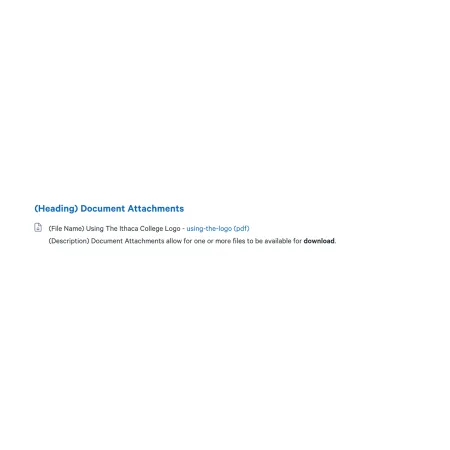
Visual example of the "Document Attachments" component, showing a file to be downloaded

The Document Attachments component displays a list of files that visitors can download from your page. Each entry shows the title you give the document, the filename itself as a clickable download link, and an optional description underneath.

When to use Document Attachments

Reach for Document Attachments when you need to make supplemental files available to your visitors. Good use cases include:

  • Forms students, applicants, or staff need to download (a leave of absence request, an internship registration packet, a travel reimbursement form)
  • Reference materials like syllabi, course catalogs, or program handbooks
  • Annual reports, climate assessments, and audit documents
  • Meeting minutes and committee agendas
  • Departmental policies that need to be preserved in their original format

Avoid using Document Attachments for content visitors are expected to actually read on the website. If the material is meant to be read on the page (a department overview, a long-form story, instructions, a policy users will reference frequently), build that content directly in the CMS using the Text component or other appropriate components instead. Content created in Drupal is searchable, accessible, easier to update later, and works better on mobile devices than a downloaded file. Document Attachments are best reserved for forms, reference materials, and source documents that have a reason to remain as files.

Adding and modifying Document Attachments

Document List Heading (optional)

The Document List Heading appears above the list of documents and labels the group as a whole. Use it when the list needs its own title (for example, "Forms," "Annual Reports," or "Course Syllabi"). Leave it blank if the surrounding content already makes clear what the documents are. The heading is limited to 80 characters.

Documents (required)

The Documents section holds the individual files. You need at least one document for the component to work. To add another file to the list, click "Add new document" at the bottom of the component, fill in the fields below, and then click "Create Document" to save it to the list. To reorder documents, use the drag handle on the left side of each document block.

Each document has its own set of fields:

File (required)

The File field is where you upload the actual document. Click "Choose File" to select a file from your computer. Each document supports one file with a 100 MB size limit. Allowed file types are: txt, pdf, doc, docx, odt, xls, xlsx, ods, ppt, pptx, and zip.

The original filename is preserved and becomes the clickable download link on the published page, so give your file a clear, descriptive name before uploading (for example, "leave-of-absence-form-2026.pdf" rather than "lof_v3_FINAL_revised.pdf"). When in doubt, prefer PDF for documents that should look the same to every visitor regardless of what software they have installed.

Name (required)

The Name field is the human-readable title that appears next to each document on the page. It displays to the left of the filename, which serves as the actual download link. Write the Name as you want visitors to read it, for example: "2025 Climate Assessment Results" or "Internship Approval Form."

Description (optional)

The Description field appears beneath the Name and download link. Use it to give visitors a short summary of what the file contains, who it is for, or when it was last updated. The Description supports rich text. See the Text component for the full list of formatting options.

Supported content types:

  • sites,
  • topics,
  • pages,
  • academic programs,
  • academic departments,
  • and profiles.

Hosting a document without displaying the list

Document Attachments can also be used to host a file on the site without showing the document list on the page. This is useful when you want to link to a file from somewhere else, like a sentence inside a Text component, a button, or a callout, without the standard list rendering appearing on the page.

To do this:

  1. Add a Document Attachments component to the page and fill in the File and Name fields as normal.
  2. Click "Create Document."
  3. Within the editing view, click "Edit" on the newly created document.
  4. Right-click the filename link and choose "Copy link address."
  5. Paste that link wherever you want to use it.
  6. Return to the page editor and uncheck the "Published" checkbox on the Document Attachments paragraph. The document list will no longer appear on the page, but the file itself remains hosted at the URL you copied.

The file stays accessible for as long as the paragraph exists on the page, whether the paragraph is published or unpublished. If the paragraph is later removed from the page entirely, routine automation will eventually delete the file from our systems and any links pointing to it will stop working. Because of this, leave a note for whoever edits the page next (in the Heading field, in a comment, or in the page's revision log) explaining that the paragraph should stay in place because its file is linked elsewhere.

Example of Document Attachments Paragraph

(DEMO FILE) Student Employee Worksheet - student-employment-worksheet (pdf)

(Description) This worksheet is to be filled out by student employees.