Intro

A brief text introduction for a page. (This is an Intro.)

Understanding Intro

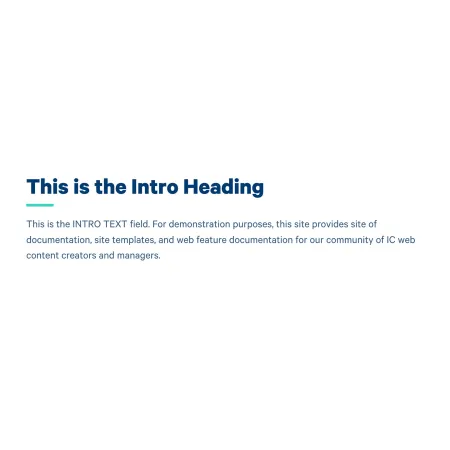
Image example of the "Intro" or "Intro Heading" paragraph/component.

The Intro component is a short, styled passage that introduces what a page is about. It uses larger, more prominent typography than standard body text, so it stands out from the rest of the content and signals to visitors what they will find as they scroll.

Think of the Intro as the answer to "what is this page?" rather than a place for detailed information. The body content of the page should expand on whatever the Intro sets up.

When to use an Intro

Good use cases include:

  • The opening of a landing page, where a sentence or two helps orient first-time visitors
  • A department or program page that needs a clear summary at the top
  • A topic page introducing a body of related content
  • Any page where the title alone does not give visitors enough context

Avoid using an Intro for short utility pages, pages that are mostly a list or directory, or pages where the heading already tells visitors everything they need to know. Adding an Intro just to fill space tends to make pages feel slower to read.

Keep the Intro focused and short. If you find yourself writing several sentences of detail, that content probably belongs in a Text component below.

Adding and Modifying Intro

Intro Heading (required, 255 character limit, 120 displayed): The main line of the Intro. This is usually the page title restated, a short phrase summarizing the page, or a question the page answers. Although the field allows up to 255 characters, only the first 120 display on the page, so keep it tight.

Intro Text (optional, 450 character limit, 255 displayed): A short supporting line beneath the heading that gives a bit more context. Keep it to one or two sentences. As with the heading, the field accepts more characters than it displays, so aim for 255 characters or fewer to make sure nothing is cut off.

Text format: Both fields default to Basic HTML. Leave this setting as-is.

One Intro per page: Only one Intro can be added to a page, regardless of content type. Once an Intro is on the page, the "Add Intro" button will appear grayed out, with a note explaining the limit.

Where the Intro appears: On most content types, the Intro is automatically placed at the top of the page and cannot be moved. On Sites, Academic Departments, and Academic Programs, the Intro can be placed anywhere in the content area along with your other components, giving you more flexibility for how the page is structured.

Supported content types:

  • Sites,
  • academic programs,
  • academic departments,
  • topics,
  • pages,
  • categories,
  • and blogs.