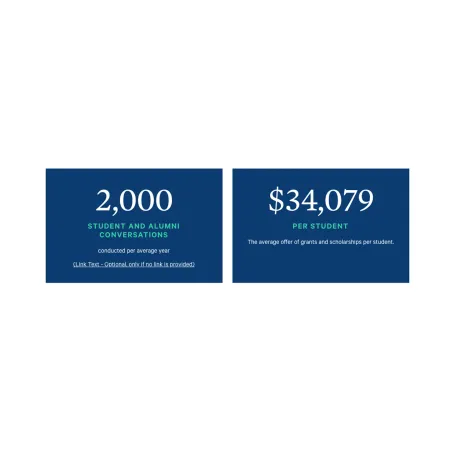
The Card: Statistics highlights one important number, such as a graduation rate or an average financial aid offer. The number and its labels are not typed in by hand. Instead you pick a statistic from a managed list, and the card displays it in a large, bold format. You can add an optional icon and an optional link. Like every card, it lives inside a Collection: Card Grid and sits alongside up to two other stat cards in a row.
Two things set the stat card apart. Its content comes from a shared list of statistics rather than free text, and its color is chosen once for the whole collection rather than per card.
When to use a Card: Statistics
Reach for a Card: Statistics when a number is the point and you want a few of them to stand together. Good use cases include:
- Admissions or enrollment figures, such as student-to-faculty ratio
- Financial aid figures, such as the average grant or scholarship offer
- Outcomes, such as job or graduate school placement rates
If you need to write your own title and description rather than use a managed number, the Card: Info or Card: Text is a better fit. If a photo should lead the card, use the Card: Image.
Where the statistics come from
The numbers and labels shown on a stat card are managed by the Office of Marketing Communications, not entered on the card itself. You only choose which statistic to display. If a statistic looks out of date or you need one that is not in the list, contact Marketing Communications to have it updated or added.