This release adds a few new tools and makes editing screens simpler for most editors. As always, your existing pages and content stay exactly as they are.
Accordion Images, a Stale Content Tab, and Cleaner Editing
By Web Team, September 29, 2026
A roundup of what's new: images in accordions, a new tool to find outdated pages, simpler editing screens, search in the policy manual, and accessibility updates across cards, contacts, and videos.
New: Search for the Policy Manual
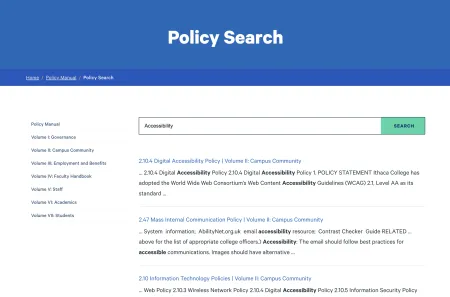
The Policy Manual site now has its own search box, so visitors can find policies faster.
New: Images in accordions
You can now add an image to an accordion item and place it above or below the text. After you upload an image, an "Image position" field appears. If you remove the image, the field goes away.
An example of accordion items with images contained inside can be found below.
-
This accordion has an image below the text content, which is also the default location.

-
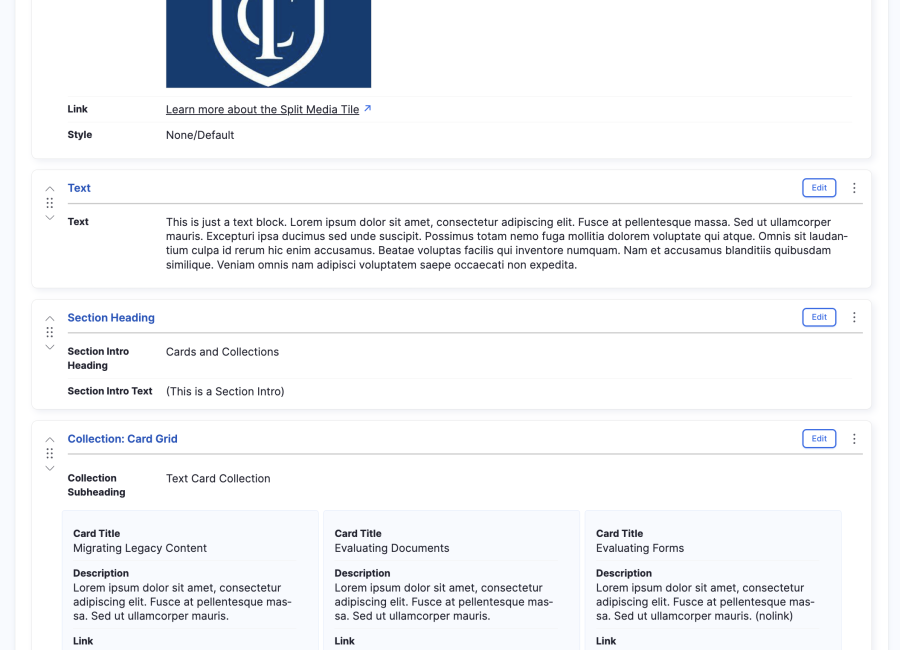
Surprise! As a thank you for exploring the updates, we've included a sneak-peak at upcoming changes to the editing experience which aims to improve legibility of content before you select to edit it.
Simpler editing screens
Most authors will no longer see the "Text format" selector on fields that do not use the main text editor. A few redundant and/or unmodifiable toggles and fields have also been hidden to help reduce complexity in the editing process.
New: Find stale content
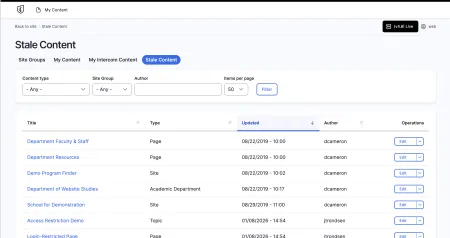
A new Stale Content tab appears at the end of the Content page. It lists published pages that haven't been updated in six months or more, sorted by last updated. Most authors will only see content from their own site groups. Use this list to find pages that need a review or an update.
Accessibility improvements
Contact Callouts now hide the phone and email icons from screen readers and give each link a clear label, so the links make sense when read aloud. Links on blue info cards and split media tiles are now white for better color contrast. Embedded videos also have clearer titles for screen reader users.
A few other improvements
- Pages no longer show empty boxes or extra gaps when an optional field has no content.
- Pages now load faster for visitors, and your saved changes still appear immediately.
- The search results page has improved color contrast and a streamlined view.
- Behind the scenes, we improved site security, limited heavy traffic from automated crawlers, fixed an issue preventing past events from automatic deletion, and updated our code tools.
Questions or need a hand?
We're happy to help. Reach out through Project Requests & Content Support or get in touch with Our Team via the email below.