Step 1
From an existing piece of content (such as a page, topic, etc), click "Edit."
Step 2
From the editing view of the page, expand "Page Access in the right-hand menu.
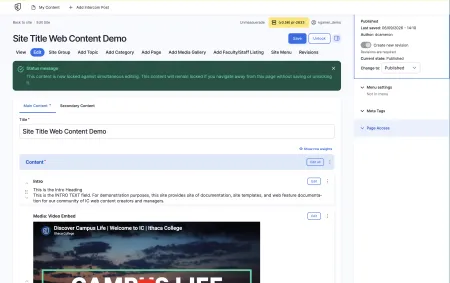
View of the editing view at Step 2, with the Page Access dropdown highlighted.
From an existing piece of content (such as a page, topic, etc), click "Edit."
From the editing view of the page, expand "Page Access in the right-hand menu.
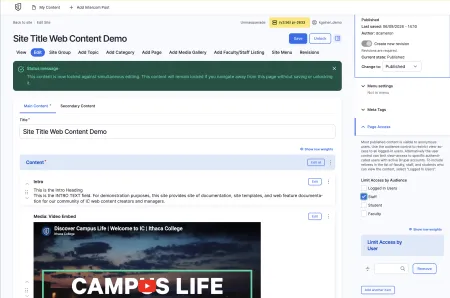
View of the editing view after Step 3, with the Page Access dropdown expanded.
Select which groups, or individuals you'd like to provide viewing access to.
Click "Save" from the top menu.
If you have additional questions about limiting page access, please view the documentation below.