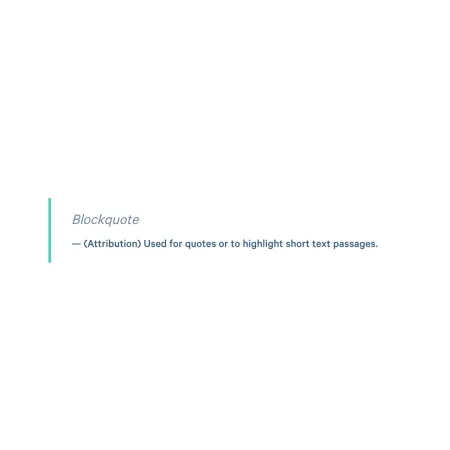
Blockquote

A styled quotation for highlighting an excerpt.

Understanding Blockquotes

A visual example of the "Blockquote" component/paragraph

The Blockquote component pulls a quotation out of the surrounding content and displays it in a distinctive, styled treatment. It draws the reader's eye to a meaningful statement, testimonial, or excerpt without breaking the flow of the page.

When to use a Blockquote

Reach for the Blockquote when you have a quotation that deserves visual emphasis on the page. Good use cases include:

  • A student or alumni testimonial on an academic program or department page
  • A standout statement from a faculty or staff member on a Profile or Person Spotlight
  • An excerpt from a speech, letter, or publication on an IC News article
  • A pull quote drawn from a longer piece of writing on a blog post or IC View article
  • A notable line from a mission statement or strategic plan
     

If you have several testimonial quotes that should rotate together, the Quote Slider is built for that purpose.

Adding and modifying Blockquotes

Quote (required)

The Quote field holds the text of the quotation itself. Type or paste the quoted text directly into the field, including any opening and closing quotation marks you want to appear.

The Quote field supports rich text editing. See the Text component for the full list of formatting options. 

The Blockquote does not automatically wrap your text in quotation marks. If you want curly quotes, smart quotes, or any other punctuation around the quote, type them in yourself. This gives you full control over how the quote reads, including cases where you are pulling a partial quote that begins mid-sentence.

There is no character limit on the Quote, but shorter quotes generally read better in the styled treatment. If a quotation runs more than a few sentences, consider trimming it to its most impactful portion, or moving the longer passage into a Text component instead.

Quote Attribution (optional)

The Quote Attribution field is where you credit the person or source of the quotation. It appears below the quote in a smaller style. The Attribution supports up to 150 characters.

Typical attribution patterns include:

  • A student or alumni name with class year and program, like "Maya Rodriguez '24, Music Education"
  • A faculty or staff member's name and title, like "Dr. Linda Patel, Professor of Biology"
  • A source for a published quotation, like "From the 2023 State of the College Address"

If the quotation does not need attribution (for example, a well-known anonymous saying or an internal mission statement), leave this field blank.

Supported content types:

  • sites,
  • topics,
  • pages,
  • academic programs,
  • academic departments,
  • blog posts,
  • custom landing pages,
  • IC View articles,
  • news articles,
  • profiles,
  • and person spotlights.

"The Blockqoute paragraph is incredibly helpful in adding impact to quotes provided to me by Students."

IC Web Team