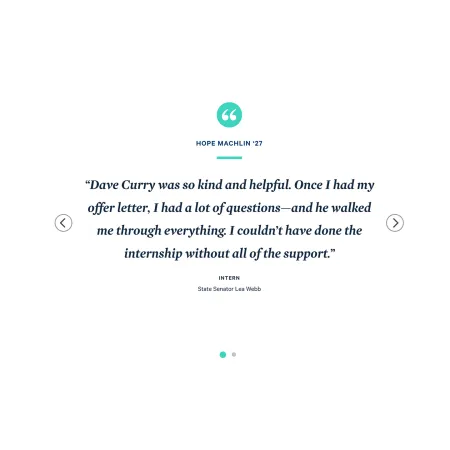
The Quote Slider displays a set of testimonial quotes in a single rotating carousel. One quote shows at a time, complete with the person's name, role, and affiliation, and the slider cycles through the rest. Visitors can also move between quotes using the left and right arrows or the dots beneath the quote.
The quotes themselves are not written inside this component. Instead, you choose from quotes that already exist in our testimonial database (more on that below). This keeps testimonials consistent across the site and lets you reuse the same quote in more than one place.
When to use the Quote Slider
The Quote Slider works well when you want to feature one or more voices in a compact, eye-catching space.
Good use cases include:
- Highlighting student, alumni, faculty, or staff testimonials
- Adding social proof to a site homepage, custom landing page, or program page
- Rotating through several short quotes without taking up much vertical space
- Showcasing outcomes or experiences tied to a specific program or department
Avoid using the Quote Slider for a single fixed testimonial. If you only have one quote you want visible at all times, the Blockquote component is usually a better fit, since it keeps one quotation in place without rotation. If the quotation is long and needs to be read in full, or needs to sit inline within a passage of body text, a Text component will read more clearly than a rotating slider.